



Setting up your rota and leave rules
Agree clear working patterns and leave decisions before the diary starts pulling in every direction.

Published by Dr Sim Raiyat
Clinical Director, Dentorb — Private General Dentist

A reliable dental rota begins with agreed rules: what each session needs, what each person is contracted to work, how leave is requested and who approves changes. Write these down before filling the calendar. The team should not have to guess whether a message means “request received” or “time off approved”.
This guide helps you set those rules. To put named people into sessions, use the complementary dental rota template and surgery-cover example.
The employment guidance below concerns England, Scotland and Wales. Northern Ireland practices should check the corresponding nidirect holiday guidance and local employment advice before setting their rules. Employment status and individual agreements matter; do not automatically apply employee arrangements to self-employed associates.
Map the work before the people
List operating sessions, surgeries in use and the roles needed for each session. Include reception, nursing support, decontamination, opening, closing and duties that take someone away from a surgery. Ask the responsible clinical lead to confirm the skills, support and supervision required. A total headcount cannot answer those questions.
The General Dental Council's guidance on working with colleagues requires appropriate support when treating patients and says treatment must not proceed in unsafe circumstances. Planned leave and training are not “exceptional circumstances” for working without an appropriately trained colleague. Build the clinical lead's requirements into each session; do not replace them with a universal “one dentist and one registered nurse” rule.
Then record each person's agreed working pattern and role. Keep contractual arrangements separate from temporary changes. A one-off swap should not silently become the person's new usual pattern.
Define the leave process
Make these decisions easy for staff and the approver to find:
| Decision | What the written rule should explain |
|---|---|
| Leave year | The start and end dates used for the balance |
| Entitlement | The applicable calculation and any extra leave in the contract |
| Bank holidays | Whether they are included in the person's allowance |
| Requests | Where to apply and which notice arrangements apply |
| Approval | Who decides, who covers their absence and how staff receive a clear response |
| Competing requests | How session cover and fair, consistent decisions are assessed |
| Queries | Who checks a disputed balance or decision |
Almost all workers have a statutory minimum of 5.6 weeks' paid holiday, capped at 28 days. A contract can give more. Bank holidays can be included in the statutory allowance. Check GOV.UK's holiday entitlement guidance before setting a balance; the allowance and how someone requests dates are separate questions.
Different arrangements can need different calculations. ACAS explains irregular-hours and part-year workers. A fixed rotating pattern is not automatically irregular hours. Have the payroll or HR adviser confirm the correct method, including any contractual extra leave, before configuring it. This guide does not provide a holiday-pay calculator.
For requests in Great Britain, ACAS explains the notice rules and relevant agreements. The usual request notice is at least twice the length of the holiday, unless an applicable agreement changes it. A preference to ask four weeks ahead should not be presented as the legal rule for every request.
An employer should have a good business reason to refuse or cancel dates and must follow applicable notice requirements. Repeated refusals must not prevent workers from taking their entitlement. Explain the reason and work towards dates they can take. Check the applicable agreement before changing an approved absence; do not silently edit the rota and assume that cancels the leave.
Keep request, decision and rota separate
A request is waiting for a decision. An approval records that decision. The updated rota shows the agreed staffing plan. Someone still needs to check that all three match.
Hypothetical example: two dental nurses request the same Thursday afternoon. The manager checks the affected clinics against the clinical lead's staffing plan. A colleague has offered possible cover but has not confirmed it. That offer is recorded as a possibility; it is not treated as a completed assignment or a reason to mark a request approved.
The named approver checks the colleague's suitability, agreement and full schedule, including duties at another site. The manager then communicates each leave decision and its reason using the agreed process. If safe cover cannot be confirmed, the manager escalates the session plan to the clinical lead rather than leaving a gap hidden behind an “approved” status. The manager also helps anyone whose dates cannot be agreed consider alternatives.
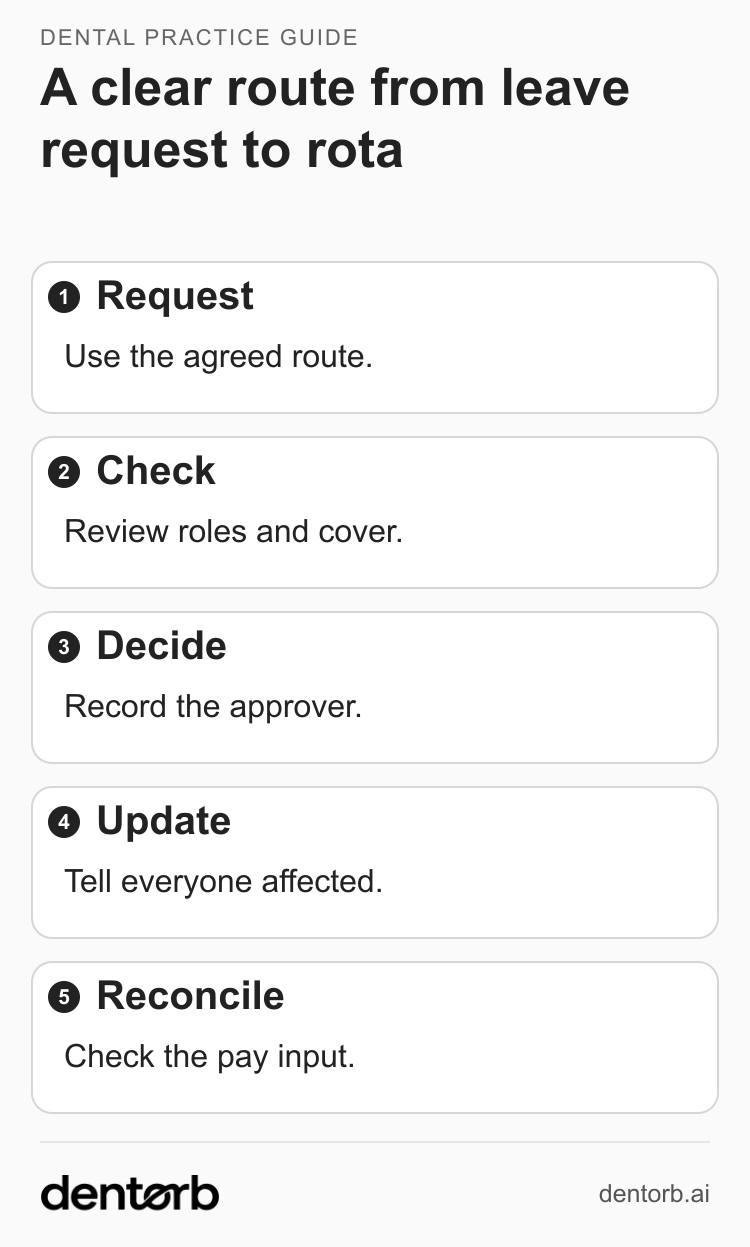
A suggested process: a request stays pending until the authorised person records a decision.
Use the agreed route to request leave. Check the roles and cover needed for the affected session. The authorised person records the decision. Update the rota and tell everyone affected by an agreed change. Reconcile the resulting leave and approved hours before payroll.
Record swaps and extra time without losing what happened
For a swap, keep the original shift, proposed replacement, approver and final confirmation. Check both people's complete schedules and tell everyone affected. A message agreeing a swap is not enough if the working rota and pay records still show the original arrangement.
For extra time, keep these three records distinguishable:
| Record | What it answers |
|---|---|
| Planned time | What was agreed on the rota? |
| Actual time | What work was reported and checked? |
| Pay decision | How should that time be treated under the person's terms and applicable rules? |
Set an advance-approval process, with a clear route for unexpected extra work. If someone reports extra time without approval, record what happened and investigate it promptly. Do not delete the time or assume that “unapproved” automatically means “unpaid”. GOV.UK's overtime guidance explains that overtime pay depends on the employment contract and that average pay for total hours worked must not fall below the applicable minimum wage. Ask the payroll or HR adviser to resolve disputed treatment.
Check working-time limits and rest before agreeing extra sessions. ACAS's working-time guidance covers these protections, including different rules for young workers. Someone being available does not settle whether another shift is appropriate.
Test one changed shift through to payroll
Before issuing the next rota, test three situations with the approver: competing leave requests, an approved absence followed by a swap, and extra time reported after the event. For each one, identify who decides, what they need to check and which records change.
Then ask the payroll contact to follow one changed shift through to the final input. Reconcile leave taken, confirmed changes, actual time and the agreed pay treatment. Keep an owner and next action for any unresolved query; escalate it promptly so the correct pay can be processed on time. The dental payroll handover checklist covers that final checking process.
Repeated late requests, missing approvals or cover shortages should trigger a review of the rules or resources. Another reminder will not fix a session that is consistently understaffed.
Use the rules to test your software
Dentorb's rota, leave and overtime area describes planning and change workflows; My Portal describes the staff-facing request route. Use the three situations above in a demonstration and confirm the settings and approval steps available to your practice. A cover suggestion still needs a suitable, accepted assignment and the practice's staffing checks.
The pay engine prepares checked inputs for your accountant or payroll software. It does not run statutory payroll. Dentorb supports the operational process alongside your clinical practice management system (PMS); your approved staffing plan and employment arrangements remain the starting point.
Your next step: agree one page of rules with the clinical lead, leave approver and payroll contact. Test a conflicting request before using those rules for the next rota.