



Dentorb Onboarding
A new start. Not more admin.
Your information is on drives, in old software and tucked inside filing cabinets. We don't just give you a login. Our dedicated onboarding team helps bring it together, set up your practice and train your people, so you're Dentorb-ready from day one.
30-minute walkthrough.
Built for UK practices.

Your move to Dentorb
Illustrative onboarding plan
We move with you.
Your history, your team, your way of working.
Existing software & drives
Agree what comes across
Paper files & practice history
Organise and prepare for digitisation
Whole-team training
Role-based sessions & workshops
Switching shouldn't mean starting from scratch
Without Dentorb
- ✕Years of history spread across different platforms
- ✕Documents stuck on drives or in paper files
- ✕A manager left to set everything up alone
- ✕Staff handed a login without proper training
With Dentorb
- A dedicated team to plan and support the move
- Help bringing your existing information together
- Practice setup built around how you work
- Training for every role and workshops to attend
More than access. A proper handover.
We learn your practice first, agree the move with you and help everyone feel ready before you begin.
Understand
Your practice first. Not a blank account.
We work with managers and owners to understand today's systems, where information lives and what the team needs. Together we agree responsibilities, priorities and a practical transition plan.
Where your information lives · illustrative
We map what you have, then agree what comes across — one place to work from on day one.
Bring your history
Your information comes with you
Our team helps pull through historical data from your existing platforms and organise files from drives and old software. We review exports and formats, agree what can be transferred and check where it belongs in Dentorb. Not every record or system can be imported automatically.
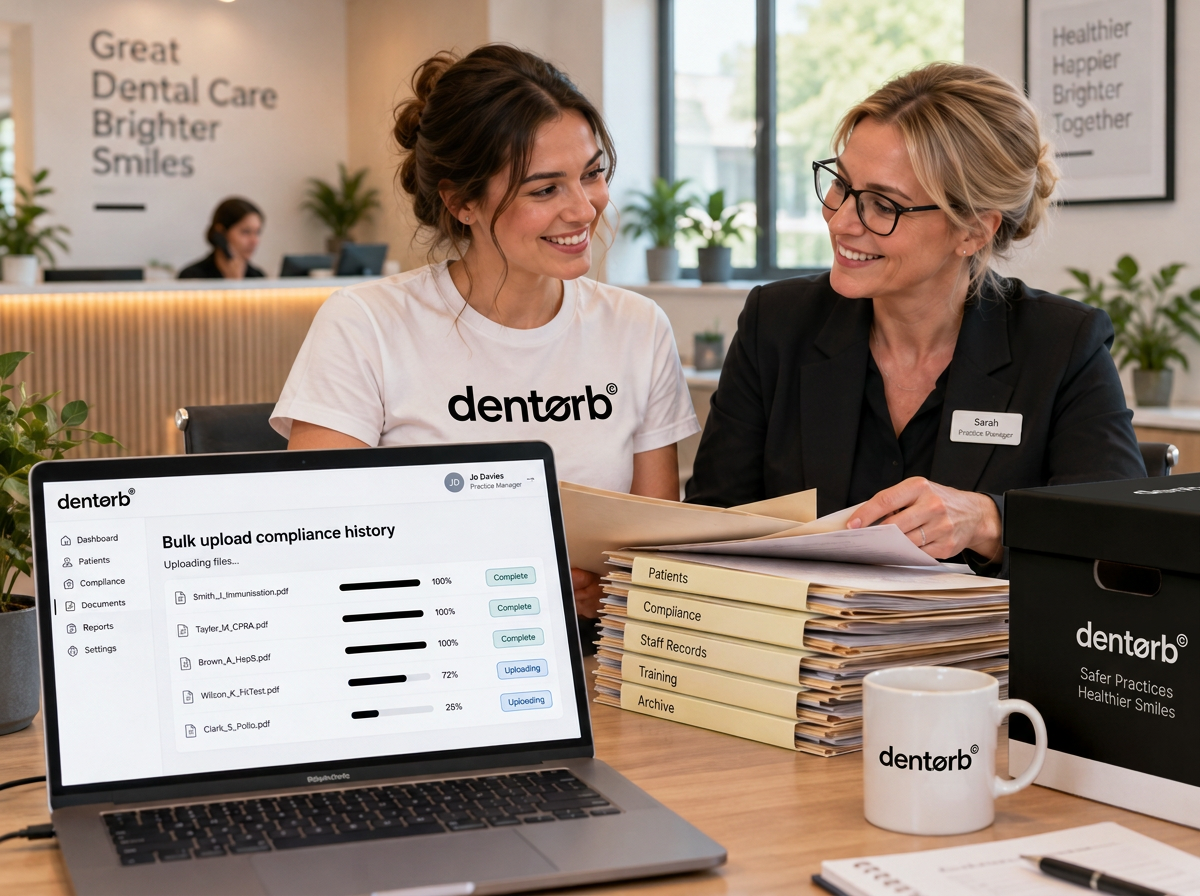
Beyond digital
Even the filing cabinet gets a plan
We help identify, organise and prepare physical files for digitisation, so important practice history isn't left behind. Handling, scanning arrangements and destinations are agreed with you, including records that should stay in their original system or format.
Paper-to-practice checklist
Identify what needs to be retained
Agree secure handling and digitisation
Check readability and organisation
Review records with your team
Set up & check
Ready for the work you actually do
We help configure your practice, staff access and agreed workflows, then review the migrated information with you. A readiness check and agreed go-live plan help avoid leaving your manager to discover gaps during a busy clinic.
Readiness review · illustrative
Practice & people
Roles and access reviewed
Records & documents
Transferred information reviewed
Go-live plan
Confirm readiness together
Train everyone
Confidence for the whole team
We train all your staff in the parts of Dentorb they use day to day, from managers and owners to nurses and reception. Practical workshops give them space to work through real scenarios, ask questions and build confidence, not just watch a demo and hope for the best.
Team training · illustrative
Managers & owners
Oversight and daily workflows
Nurses & reception
Role-specific everyday tasks
Practice workshops
Real scenarios and questions
Bring your history. We'll help with the next chapter.
A transition with people beside you
Dedicated onboarding team
People to plan and support your move.
Agreed migration scope
Know what comes across and what needs preparation.
Whole-team training
Relevant sessions for everyone using Dentorb.
Practical workshops
Work through real tasks and questions together.
The Dentorb platform
One platform. Everything in it.
Your team, compliance, money and growth in one connected place. Explore what else you unlock.
- Rota, leave & overtimePlan shifts, approve leave, track overtime
- My PortalSelf-service hub for every staff member
- To-do & tasksAssign tasks that land in each person's portal
- Compliant messengerAudited team messaging built for CQC
- Meetings & 1:1sRecorded, summarised and e-signed
- Anonymous VoiceLet staff raise things safely
- HR casesLog and manage HR cases properly
- Leaderboards & KPIsMonthly team rankings that celebrate progress
- Staff compliance & trainingMandatory training and documents tracked
- Practice compliancePolicies, audits and checks in one place
- Compliance newsLatest CQC and GDC updates
- Pay engineStaff payroll and dentist pay, calculated
- Debt chasingSee and recover outstanding balances
- Membership plansRun your own practice plans
- CPD Learning Centre100+ hours of CPD for all staff
- PDP assigning & trackingPersonal development plans for every clinician
- Mandatory training by roleCourses for nurses, dentists and managers
- Self-service learningStaff learn and log CPD themselves
- Files & before/aftersTagged TCO photos by treatment
- Inventory & equipmentStock, equipment, who has what
- Organic growthGoogle profile, SEO, reviews, social, content
- Social mediaMeta, TikTok and more, managed in one place
- Paid adsGoogle and Meta ads performance
- Email & SMS marketingCampaigns, automations and recalls
- Sales scriptsProven scripts and live objection handling
- Unified inboxCalls, email, WhatsApp, chat in one place
- Leads pipelineTurn enquiries into booked patients
- RecallsAutomated recall workflow
- Success managerYour own account manager and support line
- The OrbLive now
- All featuresExplore everything
FAQs
Do we have to move everything ourselves?
No. Our dedicated onboarding team helps review your systems, prepare information, support migration and set up your practice. We agree what your team needs to provide before the move.
Can you bring historical data from our current software?
We help transfer relevant historical data where exports, formats and access allow it. We review your systems first and agree supported records, limitations and checks before migration. Not every system or record can be imported automatically.
What about drives and physical paperwork?
We help organise relevant drive files and plan how physical records can be prepared and digitised. Handling, scanning arrangements, retention and access are agreed with your practice before work begins.
Will all our staff receive training?
Yes. We train staff around their roles and everyday tasks, and run practical workshops they can attend to ask questions and work through real scenarios.
How long does onboarding take?
It depends on your practice, existing systems and the amount and condition of information to move. We agree scope and timing after reviewing your needs, rather than promising the same turnaround for every practice.
Does day-one readiness mean an instant migration?
No. Day one means your agreed go-live day, after preparation, setup, training and readiness checks. We plan the transition together so your practice is prepared when you start using Dentorb.
How are sensitive records handled?
We agree authorised access, secure transfer and checks before moving information. Your practice stays involved in retention and transfer decisions. Do not send confidential records through ordinary email to start an onboarding enquiry.
Dentorb · Onboarding & migration
Your practice, Dentorb-ready. Your team, ready too.
Your move to Dentorb
Illustrative onboarding plan
We move with you.
Your history, your team, your way of working.
Existing software & drives
Agree what comes across
Paper files & practice history
Organise and prepare for digitisation
Whole-team training
Role-based sessions & workshops